
Manually painting grass on Unity terrain sucks. Here's the tool I built to automate it based on texture layers.
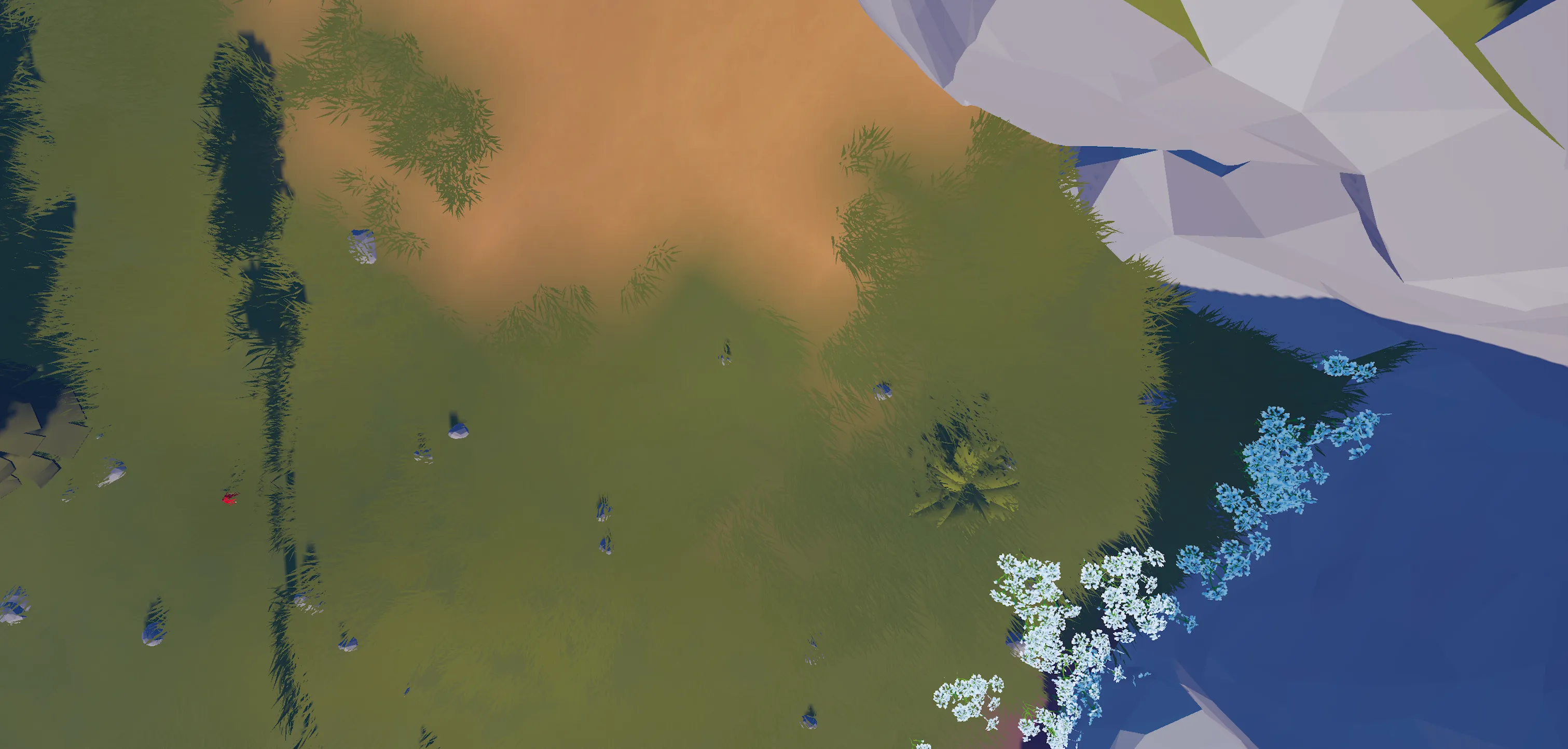
After a couple of questions online, I’m sharing a Unity tool I built while working on Little Frontier’s world map. If you’ve ever used Unity Terrain tool for grass, you know the pain.
Use this however you want. No attribution needed. Just don’t blame me if it breaks.
Previously I talked about GPU instancing for vegetation rendering. That solved performance, but I still had to place all that grass somehow. I was using the Unity Terrain tool along the detail/grass brush. Again, this works fine for small areas, but on a 30km world map, it’s a nightmare.
The terrain system already knows where the texture layers are. Why not use that data to drive grass placement?
PaintGrassOnLayer - a script that reads your terrain’s texture alphamaps and automatically paints grass details wherever specific textures exist.
You tell it which terrain layer to target (grass layer, dirt layer, etc.), configure your grass types, hit paint, and done. Grass appears everywhere that texture is painted.
Unity’s terrain system stores two separate data structures:
Alphamaps (Texture Layers)
A 3D array that stores how much of each texture is painted at each position. The third dimension is the layer index. So alphamaps[y, x, 0] gives you the strength of texture layer 0 at position x,y (a value from 0 to 1).
More info on: https://docs.unity3d.com/ScriptReference/TerrainData.GetAlphamaps.html
Detail Layers (Grass)
A separate 2D array for each grass type that stores grass density at each position. Each detail layer has its own index.
The script bridges these two systems:
// Read how much of texture layer N is painted at this position
float textureStrength = alphamaps[alphaY, alphaX, terrainLayerIndex];

if (textureStrength >= minTextureStrength)
{
    // Calculate grass density based on texture strength
    float density = CalculateDensity(textureStrength);

    // Write that density to the grass detail layer
    grassMap[y, x] = (int)density;
}
You tell the script:
The script loops through every position on the terrain, reads the texture strength from the alphamap, calculates appropriate grass density, and writes it to the detail layer.
Strong texture (close to 1.0) = high grass density
Weak texture (close to 0) = low/no grass density
The grass density naturally follows your texture painting because it’s literally reading the same data you painted.
Here’s where it gets tedious. My personal setup doesn’t include many terrain layers due to highly stylized art direction. I needed painting only on the grass layer, other layers were done manually. However if you want multiple meshes on different layers, how do you handle that? Either edit the script or just:
Add multiple script instances.
Script 1 - Grass Layer (layer 0)
Script 2 - Dirt Layer (layer 1)
Script 3 - Mountain Layer (layer 2)
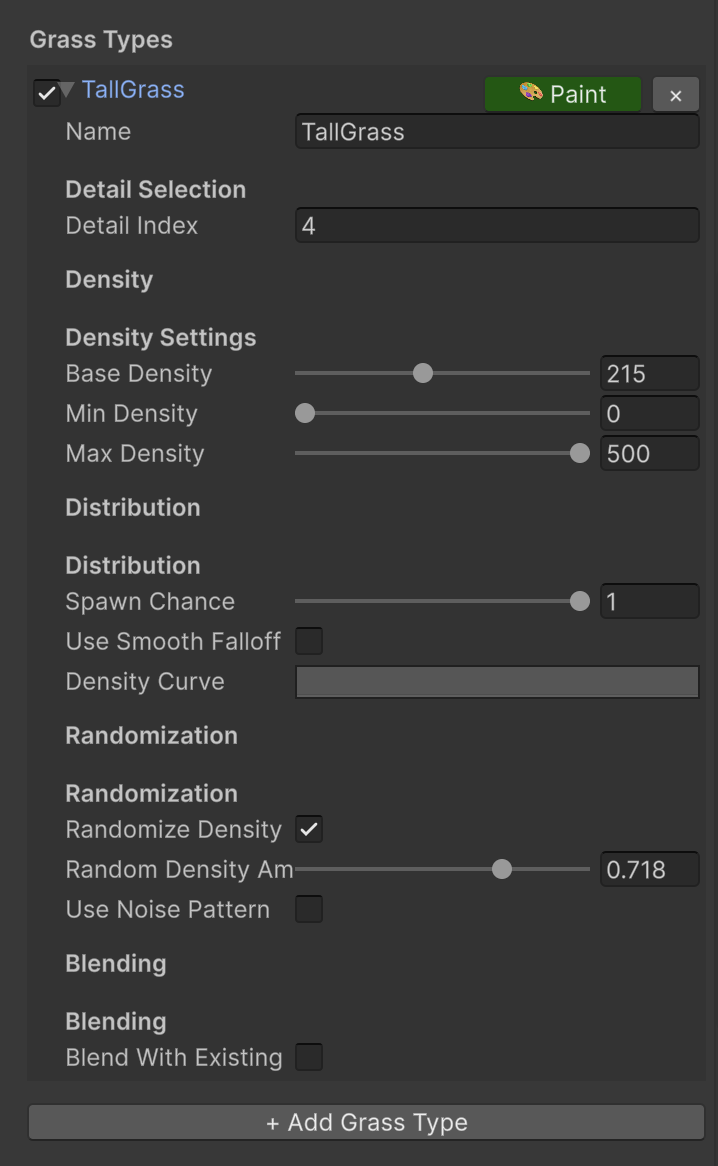
Each script could target a different terrain texture. Each grass type uses a unique detail index (0, 1, 2, 3, etc.). No conflicts.
Spawn Chance
Set to 0.7 and only 70% of valid spots get grass. Creates natural patches instead of solid coverage.
Noise Patterns
Uses Perlin noise for organic distribution. Each grass type can have different noise offsets so they don’t all clump together.
Density Curves
Control how density responds to texture strength using animation curves. Smooth falloff, concentrated centers, whatever. This can be combined with the actual density in the terrain settings and the actual settings of the detail mesh.
Edge Smoothing
Prevents harsh cutoffs where textures meet. Grass gradually fades instead of stopping abruptly.
Individual Paint Buttons
Every grass type gets its own paint button. Test one at a time without repainting everything.
PaintGrassOnLayer script per terrain layerCould’ve modified the script so each grass type has its own terrain layer setting. Would work fine.
But the multi-script approach was faster to implement and works perfectly. Sometimes simple is better.
Plus having separate scripts makes it easier to see which grass belongs to which terrain layer.
Join the Discord if you want to chat about Unity tools or terrain workflow stuff! Scroll down !!
Join our Discord
